

I still remember the smell of burnt coffee and the sheer panic of seeing my co-founder’s half-eaten bagel sitting exactly where my laptop needed to go. It was a Tuesday morning during our first frantic month. We were bootstrapping hard, sharing a single dedicated workspace to keep our burn rate low. I sat down, opened my screen, and immediately knocked over his notebook, scrambling to catch it before it hit the floor. It was a stupid, tiny moment, but it made me realize something crucial: we had no system. We were just two passionate people constantly tripping over each other’s physical and mental clutter.
Sharing a single workspace with a part-time co-founder sounds like a brilliant, budget-friendly hack on paper. In reality, it can quickly turn into a logistical nightmare of misplaced chargers, scheduling conflicts, and subtle, building resentment. Today, I am going to show you how we transformed that chaotic desk-sharing arrangement into a streamlined, high-productivity system that actually strengthened our partnership. We will map out how to set clear physical boundaries, establish seamless communication loops, and coordinate schedules so you never have to awkwardly hover over your partner again.
The Real Cost of the One-Desk Setup
Many early-stage founders assume that a desk is just a piece of wood where you put your laptop. But when you are building a business, that desk is your main command station. Early on, I made the classic mistake of thinking we could just ‘wing it’ on a first-come, first-served basis. If you don’t have a plan, you end up wasting valuable focus time simply negotiating who gets the chair. That is why we eventually had to master the strategy for splitting a single membership between two partners. Without a structured agreement, you are not just sharing furniture; you are sharing your cognitive load, and that is a recipe for startup friction. Have you ever found yourself sitting in a local cafe, waiting for your co-founder to leave the desk, wondering if you made a massive mistake?
Is sharing a desk actually worth the hassle?
I get the skepticism. You might think that constantly swapping seats is a productivity killer that will drive you both crazy. According to a landmark workplace survey by the Gensler Research Institute, workers who have choice in where and when they work are significantly more innovative and satisfied. The key is structured flexibility. By treating your shared desk as a shared asset rather than a battleground, you can keep your overhead low while maintaining a professional home base. To make it work, you need a clear dividing line between your deep focus hours and your collaborative moments. When things get too cramped at the main desk, we learned to pivot, often taking advantage of innovative meeting rooms that boost startup creativity to map out our bigger ideas without crowding our daily workspace. Set up a simple shared digital calendar, establish a ‘clean desk’ policy at the end of every shift, and use the physical space to build momentum, not friction.
The Playbook for Sharing One Desk Without Losing Your Mind
Sharing a physical workspace with your business partner is like dancing on a tightrope; if your timing is off, you both take a tumble. When my co-founder and I first started, our biggest bottleneck wasn’t our code or our marketing, it was our physical overlap. We quickly realized we needed an airtight execution strategy to keep the peace. Below are the precise, non-negotiable tactics we used to turn a single-desk membership into an engine of growth.
Run Your Workspace Like a High-Frequency Trading Desk
You cannot treat your shared desk like a kitchen counter where you dump mail and car keys. We implemented a strict ‘clean-surface policy’ that required the outgoing founder to leave absolutely zero physical trace. I am talking about wiping down the wood, packing up every single cable, and throwing away the empty espresso cups. One Tuesday afternoon, I left a single crumpled receipt on the corner of the table. My co-founder spent his first ten minutes of deep-work time wondering if that receipt was a critical tax document he shouldn’t throw away. That tiny friction point derailed his entire morning focus. From that day on, we agreed that if a physical item is left behind, it gets swept into a designated ‘lost and found’ bin under the desk. No exceptions, no hard feelings. When you need to take private calls or handle high-stakes negotiations during your shift, do not try to whisper at the desk. Instead, learn the etiquette of taking private calls in a public coworking zone to protect your partner’s sanity and your startup’s privacy.
Use the Power of Asymmetric Scheduling
The absolute worst way to share a single desk is to arrive at the office together and hope for the best. Instead, you must treat your schedule like a relay race. We divided our days into two distinct blocks: the ‘Maker’ morning and the ‘Manager’ afternoon. I took the early shift from 7:00 AM to 1:00 PM to focus purely on product development. My co-founder arrived at 1:00 PM and took the desk for customer calls and administrative tasks until late evening. This prevented the awkward hover dance and ensured that whoever was at the desk had 100% of the physical space. If our schedules ever overlapped for a critical joint session, we didn’t squeeze onto one corner of the table. We knew when to transition into professional meeting spaces, making sure we learned how to choose the perfect conference room for business success so our collaborative hours were spent making decisions rather than adjusting chairs.
Create a Digital Double of Your Physical Desktop
To make swapping seats instantaneous, you must standardize your hardware setup. We bought two identical, cheap monitor adapters and left them permanently plugged into the shared screen. We also standardized our operating systems and cloud folders so that we could pick up exactly where the other left off. In the physical realm, we used color-coded felt bins. I had a gray bin; my co-founder had a blue bin. When my shift ended, I packed my entire physical life into my gray bin and slid it into a shared locker. It took exactly sixty seconds to reset the desk. If you are struggling with a chaotic laptop setup while swapping, you might even consider how parallels desktop saved our dev team from the two-laptop shuffle to keep your software environments completely clean and separate on a shared machine.
The Great Shared Desk Illusion
Everyone tells you that sharing a desk is just a temporary budget hack, a minor inconvenience you endure until you secure venture capital and sign a commercial lease. In my experience, that mindset is completely backwards. Treating your shared desk as a temporary compromise ensures you will never optimize it. The reality is that a highly disciplined shared-desk setup forces a level of operational efficiency and lean agility that most venture-backed startups lose the moment they move into a bloated private office. The magic isn’t in the wood of the desk; it is in the forced optimization of your workflow. When you have only six hours of physical space, you do not waste time browsing social media. You execute with extreme urgency.
However, the transition from solo work to collaborative environments introduces a silent killer that most founders miss. The biggest trap is what I call the ‘proximity bias.’ Partners assume that because they are sitting next to each other, or swapping the same physical chair, they are magically aligned on business strategy. This assumption leads to a massive drop in documentation. Because you share a desk, you stop writing down product specifications or marketing goals, assuming you can just ‘talk it out.’ A study by the Harvard Business Review on team collaboration highlights that structured, written communication is far more critical for project success than mere physical proximity. If you do not document your decisions, sharing a desk actually accelerates misalignment.
Why do most startups fail at booking external meeting rooms?
When the desk gets too cramped, founders naturally look for a release valve. But this is where the next major mistake happens. Most team leads book spaces based purely on availability rather than psychological utility. They grab whatever is open on a Friday afternoon, only to realize the environment is completely wrong for their needs. To avoid this, you must learn startup success secrets: choosing the perfect conference room at 08:17 AM to align your physical space with your cognitive goals. Booking a massive, cold boardroom for a creative brainstorming session is a recipe for stagnation, just as booking a high-energy collaborative zone for a sensitive financial audit will lead to distraction. You have to match the room’s energy to the meeting’s agenda.
Another classic mistake is treating every external room as a generic plug-and-play environment. Founders walk into a space five minutes before a high-stakes investor pitch, only to find they do not have the right dongles or that the local network blocks their screen-sharing software. This is why we created a strict rule to always find a workspace that prioritizes seamless hardware integration. Before you sign any contract, make sure you understand how to find a conference room that actually has working adapters to keep your momentum going during critical presentations. If you are struggling with a chaotic laptop setup while swapping, you will want to streamline your digital workspace as much as your physical desk.
How to Stop Wasting Money on Empty Meeting Hours
The final operational trap is over-booking. Startups frequently purchase massive coworking packages with unlimited conference room hours, only to let 80% of those credits go to waste because of poor scheduling habits. To truly run a lean operation, you must master the art of scheduling during non-peak times. If you structure your deep-dive sessions correctly, you can discover the secret to finding a meeting room on a Friday afternoon without competing with the rest of the building’s members. Have you ever fallen into this trap of over-booking and under-utilizing your space? Let me know in the comments below.
Keeping the Shared Momentum Alive
Now that you have designed your scheduling rhythm and physical layout, the real challenge begins: maintaining this operational high over the long haul. Most co-founders set up a brilliant system on week one, only to let it deteriorate into a chaotic mess by week four. Consistency is what separates successful lean startups from those that collapse back into disorganized habits. To keep our arrangement pristine, we treated our workspace rules as living, technical documentation. We automated our desk-booking reminders and audited our physical setups every Friday afternoon, ensuring we never had to face a cluttered workspace again.
How do I maintain our shared workspace system over time?
The secret to long-term maintenance is eliminating all human friction. We set up an automated Slack bot that pings the outgoing partner fifteen minutes before their shift ends, reminding them to clear the desk. Additionally, we scheduled a recurring fifteen-minute sync every Friday afternoon to discuss schedule changes, impending client pitches, and our hardware needs. If we noticed our physical setup was getting cramped or our team was expanding past two people, we immediately started planning for the next phase, calculating when we should make the move to a dedicated desk or a private suite to sustain our growth without breaking our budget.
The Critical Tools We Use Every Single Day
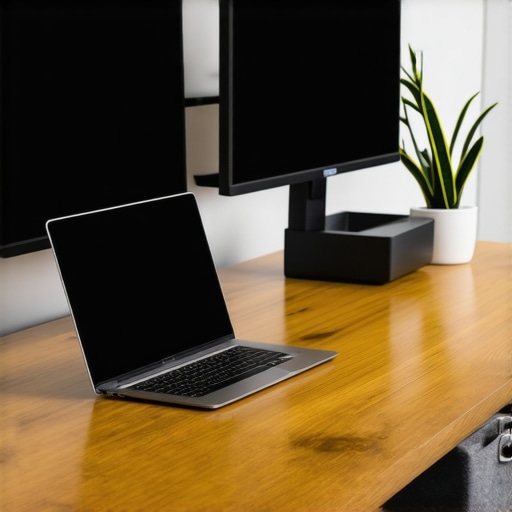
We did not achieve operational harmony by relying on willpower alone; we used a highly specific stack of hardware and software designed to streamline our physical handoffs. First, we relied heavily on Calendly integrated directly with our Google Workspace. This allowed external clients to book meetings only during our designated ‘Manager’ shifts, completely eliminating scheduling overlaps. On the hardware side, we invested in the CalDigit TS4 Thunderbolt Dock. This expensive but necessary hub allowed either of us to plug a single cable into our MacBook and instantly connect to the dual monitors, external camera, keyboard, and Ethernet. No fiddling with cables, no technical delays.
For collaborative design sprints that outgrew our single monitor, we completely abandoned virtual whiteboards. Instead, we stepped away from our screens to utilize physical spaces that featured massive, floor-to-ceiling whiteboards. We found that brainstorming on a large, physical canvas changed how we approached problems, which is why we always recommend finding a workspace that lets you use your team’s dedicated brainstorming wall to unlock real creative breakthroughs.
The Future of Shared Startup Spaces
Looking ahead, the landscape of shared working environments is evolving rapidly. According to architectural insights from the global design firm Gensler, future workspaces will focus heavily on dynamic spatial zoning and integrated IoT hardware that automatically adjusts lighting, desk height, and monitor layouts based on the profile of the user checking in. We are moving away from static desks toward adaptive environments that recognize you the moment you sit down. If you want to keep your startup ahead of the curve, try implementing just one of our advanced strategies this week—whether that is standardizing your hardware adapters or automating your shift-change reminders. Do not let workspace friction slow down your execution.
Looking back at our chaotic early days, I realize that sharing a single desk wasn’t just a way to save a few hundred dollars a month. It was the ultimate test of our operational discipline. If you can manage a single piece of wood with another human being without losing your mind, you can manage a supply chain, a cap table, and a scaling team. The habits of cleanliness, clear documentation, and respect for physical boundaries will serve your startup long after you have moved into a corporate headquarters.
3 Myths About the One-Desk Startup Setup That Held Us Back
When we first started this journey, we bought into several common misconceptions about shared spaces. Dismantling these myths changed how we worked:
- Myth 1: We must always work in parallel to be productive. We believed that if we weren’t sitting side-by-side, we weren’t building. The truth is, staggering our schedules gave us the quiet time necessary for deep focus. Forcing ourselves into a tiny workspace together actually harmed our output. When we did need to sync, we learned how to maximize productivity in your startup’s conference rooms by 02:45 PM to make those joint sessions hyper-efficient.
- Myth 2: Digital tools can completely replace physical presence. While we love our digital stack, completely isolating ourselves at home was a mistake. We found that why startups fail when they isolate in home offices often comes down to a loss of spontaneous creativity and culture. The shared desk kept us tethered to a physical reality.
- Myth 3: Any open workspace will do for client meetings. We used to think a quiet corner of a public lounge was fine for pitching investors. It wasn’t. We learned the hard way that you need dedicated, professional environments, eventually discovering how to utilize coworking spaces unlock innovation: top meeting rooms of 2025 at 11:23 AM to present our business in the best possible light.
My Essential Toolkit for Workspace Harmony
To keep our shared setup running like a Swiss watch, we relied on a carefully curated selection of tools and habits. Here is what we personally trust and why:
- The Physical Reset Checklist: A laminated index card taped to the bottom of the monitor. It contains five simple steps to return the desk to “zero” state. If it isn’t on the card, it doesn’t stay on the desk. This eliminated 90% of our daily friction.
- The Hybrid Work Handbook: We stopped guessing what the rules were and wrote a brief, two-page internal document. If you are struggling with setting boundaries, reading about the move from remote-only back to the office: what we learned will give you a great framework for establishing your own team guidelines.
- The Backup Power & Adapter Kit: We kept a dedicated pouch of cables that never left the desk. This simple fix solved our connectivity issues. If you are tired of dealing with missing components during team presentations, check out the problem with bring your own device in shared meeting rooms to understand how to standardize your tech setup.
Take Control of Your Shared Workspace Today
Sharing a single workspace is a temporary phase, but the lessons you learn from it will define your operational efficiency for years to come. Do not view this period as a limitation. Instead, embrace it as a design challenge that forces you to build an incredibly lean, highly organized business. By implementing clear boundaries, automated shift changes, and standardized hardware, you can turn a humble desk-sharing arrangement into a powerful launchpad for your startup.
Have you ever struggled with managing physical boundaries or scheduling overlaps with your co-founder? Let me know in the comments below.