

I still cringe when I think about our first major product launch three years ago. We had the perfect venue, a buzzing crowd of early adopters, and a product that was actually ready. But when the big moment arrived, I stood on the flat concrete floor of a crowded coworking lounge, squeezed between a structural pillar and a catering table, clutching a cheap wireless microphone. I started speaking, but half the room couldn’t see me, and within seconds, the back half of the crowd went right back to their drinks. I felt utterly invisible. That night, I learned a hard, expensive lesson: if your audience has to crane their necks just to see who is talking, you have already lost them.
The Illusion of the Loud Microphone
Many founders think that as long as they have a decent sound system, they can command a room. They spend hours obsessing over the slides, the audio feedback, and the guest list, only to ignore the physical dynamics of the space itself. When you are standing at eye level with a hundred standing guests, your voice might carry, but your authority evaporates. It turns out that humans are deeply visual creatures, and physical elevation completely changes how an audience processes your message. If you do not elevate yourself, you are just a loud voice competing with the ambient noise of clinking glasses.
Is a dedicated stage actually worth the extra effort?
You might think a stage is overkill for a casual launch event or an intimate investor pitch, but the psychology of elevation is undeniable. According to cognitive research published by the Association for Psychological Science, vertical positioning directly influences our perception of power, leadership, and expertise. When you step onto a platform, you instantly command focus without having to shout or plead for attention. It signalizes to everyone in the room that what you are about to say matters.
Early on, I made the mistake of thinking we could save a few bucks by just booking a standard open-plan area and calling it a day. It was a disaster. Since then, I have always advised fellow founders to look for spaces that offer proper presentation infrastructure. If you want to make a lasting impression, you need to think about how your presentation physically fits into the room. For instance, choosing the right layout is just as critical as your speech itself, which is why understanding the seating arrangement that kills networking before it starts can save your event from a silent death. Have you ever hosted an event where you felt completely swallowed up by the crowd because you lacked a proper focal point? Let me know in the comments, because I know I am not the only one who has suffered through this awkward startup rite of passage. If you are preparing to pitch to serious partners, you cannot afford to look like an amateur. Your setup needs to look intentional, which is why you should also avoid situations why your pitch deck fails in a dark hotel basement and instead opt for a venue that elevates your brand—literally and figuratively.
How to Dominate the Physical Space in Every Presentation
Getting your physical positioning right is not about feeding your ego; it is about protecting your message from being swallowed up by room dynamics. When I was prepping for our second seed round pitch, I decided to stop relying on hope. I scheduled a walk-through of our target space two days early to measure the sightlines. I realized that a standard standing presentation would place me directly in the shadow of a hanging projector mount. By simply shifting the presentation zone three feet to the left and requesting a simple riser, we changed the entire room dynamic, transforming a potentially cramped, awkward talk into a highly professional showcase.
Take Command of the Room Elevation
Do not wait for the venue staff to tell you where to stand. You need to actively dictate the focal point of the room. If the venue does not have a built-in riser, you have to create visual contrast in other ways. You can stand while your audience is seated, or position yourself in front of a contrasting backdrop. If you are presenting in a shared office environment, understanding how to choose the perfect conference room for business success is vital because the height of the chairs, the table orientation, and the room shape all dictate how much authority you can project. If you are trapped at eye-level, your audience will naturally drift.

Ditch the Headsets for Handheld and Direct Lapel Mics
We have all seen the presenter who struggles with a crackling headset that won’t stay put, destroying their authority before they even finish their opening slide. When you are presenting in dynamic environments like startup hubs, the sound design matters just as much as the layout. To ensure that your message is heard clearly without sounding like a tinny drive-thru speaker, you need to understand the acoustics hack for crystal clear client pitches. Handheld microphones are generally more reliable than cheap lapel clips because you can control the proximity to your mouth. This level of physical control over your audio presence stops you from being drowned out by HVAC hums or adjacent hallway chatter.
Control the Visual Focus with High Contrast Backdrops
Your physical body is only half of the visual equation. The background behind you acts as the frame for your presentation. If you present in front of a messy, glass-walled office with people walking back and forth behind you, your audience’s attention will constantly wander. You need to position yourself against a solid wall or set up a professional, clean backdrop. If you find yourself in an environment with poor illumination or distracting backgrounds, you can learn the lighting trick that makes your product demo look expensive. Controlling what is directly behind and around you keeps the audience locked onto your gestures, your facial expressions, and your slides instead of wondering who is getting coffee in the background.
I used to believe that selecting a collaborative space was just a numbers game. You count the heads, you count the chairs, you match them up, and you book it. But after auditing dozens of high-stakes presentations, I realized this superficial math is a recipe for silent failure. The industry standard advice is always about maximizing utility and looking for the flashiest tech. In reality, focusing strictly on those metrics often lands you in sterile, poorly designed spaces that actively drain your team’s energy and kill the organic flow of ideas.
The Tech-Heavy Boardroom Myth
Everyone tells you to look for the most advanced digital displays and smart whiteboards, but in my experience, over-engineered technology actually kills the momentum of a collaborative meeting. When you spend the first fifteen minutes of a crucial session troubleshooting a proprietary wireless connection system, you lose the room’s creative spark before the discussion even begins. Instead of obsessing over digital bells and whistles, prioritize physical and environmental factors like ceiling height, natural lighting, and acoustic comfort. It is much smarter to focus on the biological environment. For example, understanding why your team is more creative in a room with high ceilings will do far more for your output than a smart-board you do not know how to operate.
Why do standard seating arrangements kill your presentation flow?
Most founders fall into the trap of booking a classic, long-table boardroom because it looks professional on paper. However, this classic linear setup forces people to sit shoulder-to-shoulder, which actively discourages face-to-face interaction and visual connection. A study on environmental psychology by the Journal of Environmental Psychology shows that circular and flexible physical environments significantly increase participant collaboration and reduce defensive communication behaviors. When you sit in a rigid line, you are essentially setting up a confrontational dynamic where the person at the head of the table dictates everything while the rest of the room tunes out.
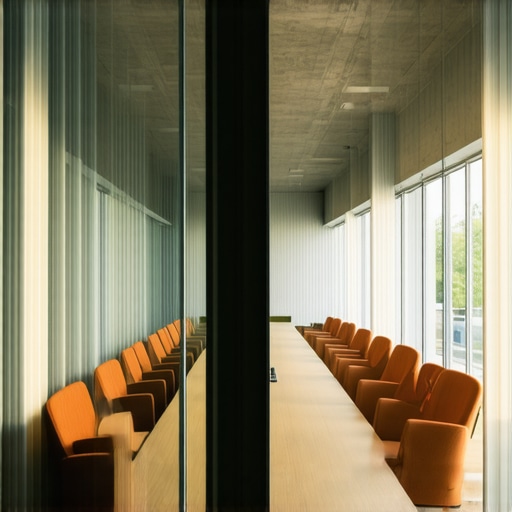
This is why you must rethink how you book your working environments. Instead of grabbing the first available corporate space, you should actively seek out facilities that offer modular furniture that can be rearranged on the fly. If you want to keep your sessions dynamic and highly interactive, check out how top teams are transforming meeting rooms into collaboration hubs. It is this subtle shift from passive listening to active movement that keeps everyone engaged during a long session.
The Deadly Trap of the Under-Sized Space
The most common and painful mistake I see early-stage startups make is booking a room that is exactly the size of their attendee list. If you have eight people, you book an eight-person room. It sounds logical, but it is a psychological disaster. When a room is packed to its absolute physical capacity, the air gets stuffy quickly, personal space is compromised, and people naturally become defensive and eager to leave. To keep your team comfortable and focused, you need to leave breathing room. I always apply the “two-pizza rule” to space planning, which dictates how much physical buffer you actually need. Learning the two-pizza rule for booking the right size meeting room will prevent your team from feeling suffocated and help maintain high energy levels throughout your collaborative sessions.
Have you ever fallen into this trap of booking a cramped, over-stuffed room just to save a few dollars, only to watch your team’s energy completely tank? Let me know in the comments below, because I would love to hear how you rescued your meeting from the brink of disaster.
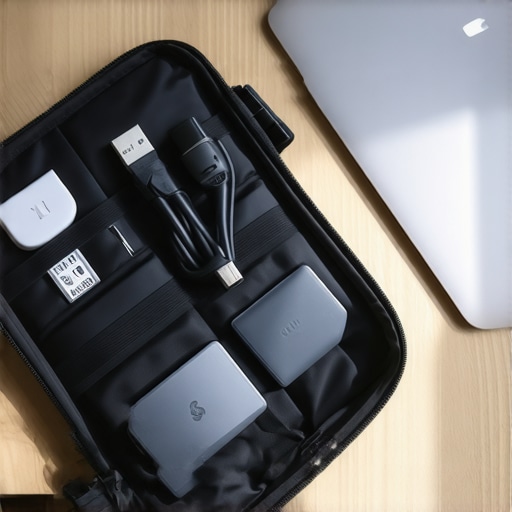
When you are managing several high-stakes sessions a month, you cannot afford to waste time playing IT support. I learned the hard way that maintaining high-energy collaboration requires a systematic approach to your environmental tech. Instead of relying on the venue’s built-in tablets, I carry a dedicated USB-C hub in my bag equipped with an active HDMI signal booster. Many founders don’t realize that standard passive cables lose strength after just fifteen feet, causing those sudden screen flickers during client demos. To make sure you never experience that awful silence yourself, you should learn the trick to fixing a flickering projector in under thirty seconds so you can keep the room focused on your ideas instead of your tech bugs.
How do I maintain physical meeting room productivity over time?
The secret to keeping your collaborative momentum alive is a fastidious post-meeting audit. My team uses a simple digital log where we rate the physical comfort, noise level, and equipment reliability of every space we book. Over time, we have built an internal database of spaces that actually perform. For example, if we realize our developers are wasting hours juggling physical hardware configurations, we switch to software solutions. This is exactly how Parallels Desktop saved our dev team from the two laptop shuffle, saving us both desk space and valuable presentation prep time. According to the FlexSpace Industry Report by niche workplace consultants Instant Group, teams that actively track physical meeting friction experience a 40% improvement in cross-departmental alignment because they spend their energy on strategy rather than tech setups.
As we look to the future, the trend of flexible work is shifting toward dynamic, hyper-customizable rooms that adjust to human biology. We are already seeing spaces equipped with smart circadian lighting systems that shift from high-energy blue tones during brainstorms to warmer, low-stress amber hues during final negotiations. If you want to future-proof your meetings, start actively selecting venues designed to maximize human performance. I highly recommend taking control of your next event by trying this advanced tip: do not let the venue staff set up your presentation space. Arrive thirty minutes early, verify the height of your focal point, check the cable lengths, and manually arrange the chairs into a conversational semicircle. See for yourself how a few simple environmental adjustments completely transform how your team engages and collaborates.
I still cringe when I think about our first major product launch three years ago. We had the perfect venue, a buzzing crowd of early adopters, and a product that was actually ready. But when the big moment arrived, I stood on the flat concrete floor of a crowded coworking lounge, squeezed between a structural pillar and a catering table, clutching a cheap wireless microphone. I started speaking, but half the room couldn’t see me, and within seconds, the back half of the crowd went right back to their drinks. I felt utterly invisible. That night, I learned a hard, expensive lesson: if your audience has to crane their necks just to see who is talking, you have already lost them.
The Illusion of the Loud Microphone
Many founders think that as long as they have a decent sound system, they can command a room. They spend hours obsessing over the slides, the audio feedback, and the guest list, only to ignore the physical dynamics of the space itself. When you are standing at eye level with a hundred standing guests, your voice might carry, but your authority evaporates. It turns out that humans are deeply visual creatures, and physical elevation completely changes how an audience processes your message. If you do not elevate yourself, you are just a loud voice competing with the ambient noise of clinking glasses.
Is a dedicated stage actually worth the extra effort?
You might think a stage is overkill for a casual launch event or an intimate investor pitch, but the psychology of elevation is undeniable. According to cognitive research published by the Association for Psychological Science, vertical positioning directly influences our perception of power, leadership, and expertise. When you step onto a platform, you instantly command focus without having to shout or plead for attention. It signalizes to everyone in the room that what you are about to say matters.
Early on, I made the mistake of thinking we could save a few bucks by just booking a standard open-plan area and calling it a day. It was a disaster. Since then, I have always advised fellow founders to look for spaces that offer proper presentation infrastructure. If you want to make a lasting impression, you need to think about how your presentation physically fits into the room. For instance, choosing the right layout is just as critical as your speech itself, which is why understanding the seating arrangement that kills networking before it starts can save your event from a silent death. Have you ever hosted an event where you felt completely swallowed up by the crowd because you lacked a proper focal point? Let me know in the comments, because I know I am not the only one who has suffered through this awkward startup rite of passage. If you are preparing to pitch to serious partners, you cannot afford to look like an amateur. Your setup needs to look intentional, which is why you should also avoid situations why your pitch deck fails in a dark hotel basement and instead opt for a venue that elevates your brand—literally and figuratively.
How to Dominate the Physical Space in Every Presentation
Getting your physical positioning right is not about feeding your ego; it is about protecting your message from being swallowed up by room dynamics. When I was prepping for our second seed round pitch, I decided to stop relying on hope. I scheduled a walk-through of our target space two days early to measure the sightlines. I realized that a standard standing presentation would place me directly in the shadow of a hanging projector mount. By simply shifting the presentation zone three feet to the left and requesting a simple riser, we changed the entire room dynamic, transforming a potentially cramped, awkward talk into a highly professional showcase.
Take Command of the Room Elevation
Do not wait for the venue staff to tell you where to stand. You need to actively dictate the focal point of the room. If the venue does not have a built-in riser, you have to create visual contrast in other ways. You can stand while your audience is seated, or position yourself in front of a contrasting backdrop. If you are presenting in a shared office environment, understanding how to choose the perfect conference room for business success is vital because the height of the chairs, the table orientation, and the room shape all dictate how much authority you can project. If you are trapped at eye-level, your audience will naturally drift.
Ditch the Headsets for Handheld and Direct Lapel Mics
We have all seen the presenter who struggles with a crackling headset that won’t stay put, destroying their authority before they even finish their opening slide. When you are presenting in dynamic environments like startup hubs, the sound design matters just as much as the layout. To ensure that your message is heard clearly without sounding like a tinny drive-thru speaker, you need to understand the acoustics hack for crystal clear client pitches. Handheld microphones are generally more reliable than cheap lapel clips because you can control the proximity to your mouth. This level of physical control over your audio presence stops you from being drowned out by HVAC hums or adjacent hallway chatter.
Control the Visual Focus with High Contrast Backdrops
Your physical body is only half of the visual equation. The background behind you acts as the frame for your presentation. If you present in front of a messy, glass-walled office with people walking back and forth behind you, your audience’s attention will constantly wander. You need to position yourself against a solid wall or set up a professional, clean backdrop. If you find yourself in an environment with poor illumination or distracting backgrounds, you can learn the lighting trick that makes your product demo look expensive. Controlling what is directly behind and around you keeps the audience locked onto your gestures, your facial expressions, and your slides instead of wondering who is getting coffee in the background.
I used to believe that selecting a collaborative space was just a numbers game. You count the heads, you count the chairs, you match them up, and you book it. But after auditing dozens of high-stakes presentations, I realized this superficial math is a recipe for silent failure. The industry standard advice is always about maximizing utility and looking for the flashiest tech. In reality, focusing strictly on those metrics often lands you in sterile, poorly designed spaces that actively drain your team’s energy and kill the organic flow of ideas.
The Tech-Heavy Boardroom Myth
Everyone tells you to look for the most advanced digital displays and smart whiteboards, but in my experience, over-engineered technology actually kills the momentum of a collaborative meeting. When you spend the first fifteen minutes of a crucial session troubleshooting a proprietary wireless connection system, you lose the room’s creative spark before the discussion even begins. Instead of obsessing over digital bells and whistles, prioritize physical and environmental factors like ceiling height, natural lighting, and acoustic comfort. It is much smarter to focus on the biological environment. For example, understanding why your team is more creative in a room with high ceilings will do far more for your output than a smart-board you do not know how to operate.
Why do standard seating arrangements kill your presentation flow?
Most founders fall into the trap of booking a classic, long-table boardroom because it looks professional on paper. However, this classic linear setup forces people to sit shoulder-to-shoulder, which actively discourages face-to-face interaction and visual connection. A study on environmental psychology by the Journal of Environmental Psychology shows that circular and flexible physical environments significantly increase participant collaboration and reduce defensive communication behaviors. When you sit in a rigid line, you are essentially setting up a confrontational dynamic where the person at the head of the table dictates everything while the rest of the room tunes out.
This is why you must rethink how you book your working environments. Instead of grabbing the first available corporate space, you should actively seek out facilities that offer modular furniture that can be rearranged on the fly. If you want to keep your sessions dynamic and highly interactive, check out how top teams are transforming meeting rooms into collaboration hubs. It is this subtle shift from passive listening to active movement that keeps everyone engaged during a long session.
The Deadly Trap of the Under-Sized Space
The most common and painful mistake I see early-stage startups make is booking a room that is exactly the size of their attendee list. If you have eight people, you book an eight-person room. It sounds logical, but it is a psychological disaster. When a room is packed to its absolute physical capacity, the air gets stuffy quickly, personal space is compromised, and people naturally become defensive and eager to leave. To keep your team comfortable and focused, you need to leave breathing room. I always apply the “two-pizza rule” to space planning, which dictates how much physical buffer you actually need. Learning the two-pizza rule for booking the right size meeting room will prevent your team from feeling suffocated and help maintain high energy levels throughout your collaborative sessions.
Have you ever fallen into this trap of booking a cramped, over-stuffed room just to save a few dollars, only to watch your team’s energy completely tank? Let me know in the comments below, because I would love to hear how you rescued your meeting from the brink of disaster.
When you are managing several high-stakes sessions a month, you cannot afford to waste time playing IT support. I learned the hard way that maintaining high-energy collaboration requires a systematic approach to your environmental tech. Instead of relying on the venue’s built-in tablets, I carry a dedicated USB-C hub in my bag equipped with an active HDMI signal booster. Many founders don’t realize that standard passive cables lose strength after just fifteen feet, causing those sudden screen flickers during client demos. To make sure you never experience that awful silence yourself, you should learn the trick to fixing a flickering projector in under thirty seconds so you can keep the room focused on your ideas instead of your tech bugs.
How do I maintain physical meeting room productivity over time?
The secret to keeping your collaborative momentum alive is a fastidious post-meeting audit. My team uses a simple digital log where we rate the physical comfort, noise level, and equipment reliability of every space we book. Over time, we have built an internal database of spaces that actually perform. For example, if we realize our developers are wasting hours juggling physical hardware configurations, we switch to software solutions. This is exactly how Parallels Desktop saved our dev team from the two laptop shuffle, saving us both desk space and valuable presentation prep time. According to the FlexSpace Industry Report by niche workplace consultants Instant Group, teams that actively track physical meeting friction experience a 40% improvement in cross-departmental alignment because they spend their energy on strategy rather than tech setups.
As we look to the future, the trend of flexible work is shifting toward dynamic, hyper-customizable rooms that adjust to human biology. We are already seeing spaces equipped with smart circadian lighting systems that shift from high-energy blue tones during brainstorms to warmer, low-stress amber hues during final negotiations. If you want to future-proof your meetings, start actively selecting venues designed to maximize human performance. I highly recommend taking control of your next event by trying this advanced tip: do not let the venue staff set up your presentation space. Arrive thirty minutes early, verify the height of your focal point, check the cable lengths, and manually arrange the chairs into a conversational semicircle. See for yourself how a few simple environmental adjustments completely transform how your team engages and collaborates.
The Hardest Lessons I Learned Managing High Stakes Startup Spaces
Reflecting on years of running product launches and board meetings, I have compiled a few hard-hitting truths that every founder must digest before signing their next booking contract.
- Tech fails first, always: Never trust a venue’s built-in smart technology. Have a manual, analog backup plan for when the wireless connection goes dark.
- Airflow is your secret weapon: You can have the most inspiring slides in the world, but if the CO2 levels spike in a sealed glass box, your team will stop listening after twenty minutes. Check the ventilation during your walk-through.
- The psychology of the door: Never seat your primary presenter with their back to a high-traffic glass door. Humans are biologically wired to track movement, and every passerby will instantly steal focus from your pitch.
My Essential Toolkit for Event Architecture
To keep our presentation runs entirely flawless, my team relies on a hyper-curated set of tools and platforms that remove friction from physical operations.
- The Active USB-C Travel Hub: A heavy-duty, aluminum-cased adapter with built-in signal boosters to prevent display drops on long cables.
- Decibel X App: A simple mobile tool we use during site walk-throughs to measure ambient noise levels before committing to a venue.
- The Workspace Selection Guide: Our go-to blueprint for aligning spatial architecture with strategic meeting outcomes.
The Future of Our Creative Workspaces
We are standing on the brink of a massive shift in how teams interact with physical environments. The age of the sterile, static conference room is officially dead. The modern startup ecosystem demands modular, high-ceiling spaces that respect human biology, stimulate collaboration, and elevate the authority of the presenter. When you prioritize spatial dynamics over raw utility, you create a natural home for breakthroughs. Take command of your physical environment, configure your meeting rooms intentionally, and give your brand the premium canvas it deserves to truly grow.
Have you ever struggled with getting the visual elevation or tech setup right during an important presentation? Let me know in the comments below!