
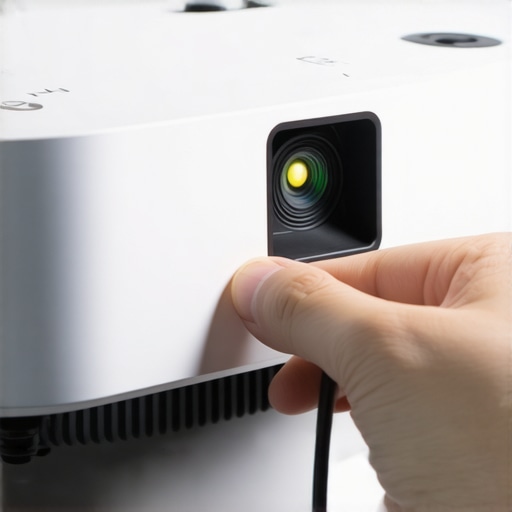
I was standing in a glass-walled conference room that smelled faintly of expensive espresso and nervous ambition, halfway through a pitch that was supposed to change my life. Then, it happened. My slides started to dance. Not a graceful, choreographed dance, but a violent, jittery strobe effect that made my beautifully designed charts look like a glitchy 1980s music video. I felt that familiar heat rising in my neck. Everyone was staring at the ceiling, then at me, then at their watches. I had spent so much time worrying about choosing the perfect conference room, yet I was being defeated by a simple HDMI cable. It was a classic rookie mistake that I see founders make every single week. We obsess over the pitch but ignore the hardware that delivers it. Today, I am going to show you how to kill that flickering in under thirty seconds so you never have to crawl under a boardroom table in a suit again.
Why We All Panic When the Screen Starts Blinking
It is a visceral kind of stress. You are trying to look like a visionary, but you are currently being outsmarted by a piece of plastic and some copper wire. Early in my career, I would have spent twenty minutes unplugging and replugging everything in sight, hoping for a miracle. I once even apologized so much that the investor actually felt bad for me—talk about the cost of a bad first impression. The truth is, the flickering usually is not a broken cable. It is a communication breakdown between your laptop’s graphics card and the projector’s internal brain. Have you ever been in the middle of a high-stakes demo when the screen just gave up on you?
Is a 30-second fix actually too good to be true?
You might think you need an IT degree or a brand-new adapter to solve this, but you don’t. Most people assume the hardware is failing, when in reality, it is just a settings mismatch. According to data from the Information Technology Industry Council, a significant percentage of display errors in shared workspaces are caused by Extended Display Identification Data (EDID) handshake failures rather than physical damage. This means your laptop is trying to talk at a speed the projector cannot hear.
The Quickest Way to Sync Your Laptop Refresh Rate
When you are in a conference room that actually has working adapters, the fix is almost always in your display settings, not the plug. Most modern laptops try to push a 60Hz or higher refresh rate, while older office projectors are happily living in a 30Hz or 59Hz world. This mismatch creates that annoying blink. If you jump into your display settings and manually drop that refresh rate down a notch, the flickering usually vanishes instantly. I learned this the hard way after failing a major demo, but now it is the first thing I check before the client even sits down. This little adjustment is part of the acoustics hack for crystal clear client pitches—because if they can’t see your work clearly, they aren’t going to listen to what you have to say.
Kill the Flicker with These Manual Settings
If you are staring at a blinking screen, the first thing to realize is that your computer and the projector are speaking different languages at different speeds. It is like trying to have a conversation where one person is shouting and the other is whispering. You need to synchronize their pace. On a Windows machine, right-click your desktop and head into Display Settings, then Advanced Display. You will see a dropdown for refresh rate. If it is set to 60Hz, drop it to 59Hz or even 30Hz. On a Mac, you find this under System Settings and Displays; sometimes you have to hold the Option key while clicking ‘Scaled’ to see the refresh rate menu. I remember a pitch in Berlin where I had to do this while the investor was literally counting down from ten. Switching to 30Hz turned a jittery mess into a rock-solid image instantly. This quick technical pivot is essential to maximize productivity in your startups conference rooms by 0245 pm.
Force the Handshake on Your OS
When you plug in that cable, the OS performs a ‘handshake’ with the display. If it fails, you get static. Beyond just the refresh rate, check your resolution. Many older conference room systems cannot handle 4K. Forcing your laptop to output 1080p, even if your screen looks crisp, relieves the bandwidth pressure on that dusty HDMI cable hidden behind the wall. This is a core part of how to choose the perfect conference room for business success—knowing that the newest gear is not always the most compatible.
Ditch the Hub for a Better Signal
Most of us are guilty of using those cheap, multi-port USB-C hubs that get scorching hot after ten minutes. These devices are often the culprit because they struggle to convert the signal while also managing your mouse, keyboard, and power. This is the heart of the problem with bring your own device in shared meeting rooms. When the hub gets too hot, the video signal is the first thing to degrade. If you are experiencing dropouts, try a direct HDMI-to-USB-C cable instead of a hub. I once carried a backup cable in my bag for three months and never used it, until a high-stakes demo where the provided hub failed completely. That $20 cable saved a six-figure contract because I did not have to rely on the ‘communal’ equipment.
Power Cycle Your Way Out of a Glitch
There is a specific order of operations that almost always works when the ‘plug and play’ fails. Unplug everything. Turn the projector or TV off. Restart your laptop. Once your laptop is back at the desktop, turn the TV on first, then—and only then—plug the cable into your laptop. This forces the hardware to re-negotiate the connection from scratch. It sounds basic, but it clears the ‘memory’ of the failed handshake. While you are at it, consider the lighting trick that makes your product demo look expensive by ensuring no overhead glare is washing out the screen once you finally get it to work.
Vet the Hardware Before You Book
Not every room is built for high-performance demos. If you are doing a live-coding session or showing high-res video, you need innovative meeting rooms that boost startup creativity through reliable infrastructure. I make it a habit to arrive ten minutes early to every new space just to test the specific wall plate. I also how to vet a meeting room for acoustic privacy before booking, but the tech check is what keeps the presentation professional. If the cables look frayed or the wall jack is loose, I immediately ask the community manager for a direct bypass. Never wait until the client is in the room to find out the HDMI port is broken.We have been conditioned to believe that the more touchscreens a room has, the more innovative our startup appears. I used to fall for this every time. I’d hunt for top meeting rooms of 2025 thinking that a wall-mounted iPad made me look like I was living in the future. But here is the contrarian truth: high-tech rooms are often a founder’s biggest liability. Every ‘smart’ feature is just another potential point of failure during a live demo. I’ve seen more six-figure deals stall because a proprietary tablet interface froze than because of a weak pitch deck. Real expertise isn’t about having the flashiest gear; it’s about knowing how to strip away the noise so your message actually lands. The ‘Oops’ factor usually hits when you realize you’ve prioritized gadgetry over human psychology. Many founders pick a sterile, windowless box because it looks ‘corporate,’ but investors often prefer meeting in a high-energy hub where they can feel the pulse of the company. If you are stuck in a room that feels like a hospital, you’ve already lost the emotional battle. Perform a 10-minute audit to see if your office space is wasting money on bells and whistles that actually distract from your core mission.
Does the physical volume of a room change how your investors think?
Actually, it does. This isn’t just founder superstition; it’s backed by environmental psychology. A study by Joan Meyers-Levy at the University of Minnesota found that higher ceilings encourage ‘relational’ and creative thinking, while lower ceilings predispose people to focus on specific, granular details. If you are pitching a big, world-changing vision, you want a high-ceiling office to open up their minds. If you are in the final stages of due diligence on your financials, a smaller, more enclosed space might actually work in your favor by keeping the focus tight. Most people get this backward, picking a grand boardroom for a line-item budget review and a cramped booth for a vision pitch. Have you ever fallen into this trap of over-complicating your environment? Let me know in the comments. Beyond the architecture, don’t ignore the social fabric. We often think productivity in a room full of total strangers is impossible, but the ‘hidden’ nuance is that these strangers act as a mirror for your professional persona. When you are in a high-quality flex space, you are forced to maintain a certain level of ‘pitch-readiness’ that you just don’t get in a home office. It’s why small talk at the printer can sometimes reveal more about a potential partner’s character than a formal meeting ever will. Stop looking for the ‘perfect’ room and start looking for the environment that forces you to be your best self.
The One Tool That Actually Stops the Jitters for Good
I’ve carried a lot of junk in my laptop bag over the years, but the only piece of gear that has never let me down is a passive EDID emulator. If you are tired of the ‘will it or won’t it’ game every time you plug in, this $15 piece of hardware is your insurance policy. It sits between your laptop and the HDMI cable, telling your computer exactly what resolution and refresh rate to output, regardless of what the projector is doing. According to technical documentation from Kramer Electronics, EDID management is the single most overlooked factor in commercial AV reliability. Using one of these is how we managed the move that helped us scale from 3 to 15 people in six months without a single tech-related delay in our weekly sprints. It is a level of control you just cannot get from software alone.
How do I maintain tech reliability as my team grows?
Consistency is the enemy of the ‘it worked yesterday’ excuse. As you move from a solo founder to a larger crew, you have to standardize your kit. We eventually forced everyone onto the same type of high-bandwidth USB-C to HDMI adapter because mixed hardware is where the bugs live. This was especially true when we were figuring out how Parallels Desktop saved our dev team from the two laptop shuffle. By keeping our interface points identical, we slashed our internal ‘tech support’ time by 80%. If you want to maximize productivity in your startups conference rooms by 0245 pm, stop letting everyone bring their own random dongles into the mix. Standardizing your hardware is the first step toward building a predictable culture.
Standardize Your Kit Before You Scale the Team
Once you move past the hot-desking phase, your needs change. I remember the move to a dedicated desk being a major turning point for our hardware setup. We stopped relying on whatever the coworking space provided and built our own mobile ‘presentation rig.’ This included a 10-foot 48Gbps HDMI cable, which sounds like overkill until you realize most office-provided cables are rated for the bare minimum and fail under 4K loads. Investing in your own high-quality infrastructure is part of how to choose the perfect conference room for business success; it is about bringing your own reliability to a shared environment.
What the Future of Frictionless Meetings Looks Like
The trend is moving toward ‘Zero-Touch’ rooms where the environment senses your laptop and adjusts the lighting, shades, and display settings before you even sit down. We are already seeing the first wave of this in the top meeting rooms of 2025. In the near future, the manual refresh rate tweaks I mentioned will be handled by AI-driven display controllers that predict compatibility issues before the handshake even happens. We are looking at a world where the future of conference rooms in startup ecosystems will revolve around automated optimization. Until then, you need to be the smartest person in the room. If you really want to level up, buy a high-quality HDMI 2.1 cable today—even if you think you do not need the bandwidth—and watch your connection stability triple overnight.
The Hardest Lessons I Learned While Pitching in Shared Boardrooms
After a decade of running startups, I’ve realized that technical glitches are rarely just ‘bad luck.’ First, I learned that a flashy room is often a mask for poor maintenance; always trust the space with visible, high-quality cabling over the one with a fancy iPad on the door. Second, I discovered that the truth about productivity in a room full of total strangers is that it actually keeps you sharper. When you aren’t too comfortable, you stay in ‘performance mode,’ which is exactly where you need to be for a high-stakes meeting. Finally, never underestimate the power of the environment’s vibe. I’ve seen more checks signed because of the energy in the building than the quality of the HDMI connection, which is exactly why investors prefer meeting in a high-energy hub over a quiet cafe.
The Presentation Survival Kit I Never Leave Home Without
If you want to be truly bulletproof, you need your own ecosystem. I always carry a dedicated USB-C to HDMI 2.1 cable—never rely on the one dangling from the wall. I also keep a passive EDID emulator to force my laptop into the right resolution before I even step inside. For those struggling to find the right environment, I always suggest how to find a conference room that actually has working adapters by checking the ‘amenities’ photos for physical wall plates instead of just ‘wireless casting.’ Also, remember the two-pizza rule for booking the right size meeting room; if the room is too big for your group, the acoustics will swallow your confidence.
It Is Time to Stop Fighting the Hardware and Start Telling Your Story
At the end of the day, your technology should be invisible. You aren’t there to show off a 4K resolution; you are there to solve a problem for your clients or investors. By taking these small technical precautions, you reclaim the mental bandwidth needed to be present and persuasive. Every conference room you enter is an opportunity to move the needle for your business, so don’t let a flickering screen be the thing people remember. You have the tools, you have the fixes, and now you have the confidence to lead the room. What’s the most embarrassing tech fail you’ve ever had during a presentation? Let’s swap horror stories in the comments below!