
I still have the scar on my tailbone—figuratively speaking—from the summer I tried to launch my first app while sitting on a $20 folding chair I found in the basement. By hour ten of a particularly nasty bug hunt, my spine felt like a stack of dry crackers about to snap. I thought I was being ‘scrappy.’ In reality, I was just being reckless with my health. We focus so much on our processors and monitors, but we forget that the chair is the interface between our bodies and our work. If you’re serious about a move from the garage to a real office, your first investment shouldn’t be a fancy coffee machine. It should be a chair that doesn’t actively hate you. Today, I’m going to show you exactly what to look for so you can stay in that deep flow state for as long as your brain allows. We aren’t looking for ‘gaming’ gimmicks; we’re looking for physiological support that keeps your blood moving and your nerves un-pinched.
Your Spine Is Your Most Important Asset
I used to think I could power through the pain with caffeine and sheer willpower. I was wrong. Early in my career, I bought a budget ‘ergonomic’ seat with neon racing stripes, thinking the looks would match my startup energy. Within a month, I was experiencing numbness in my right leg. That was my ‘lightbulb moment’—or rather, my ‘lightning bolt of pain moment.’ When you see how coworking spaces unlock innovation, it’s not just the networking; it’s that they invest in furniture that permits long-term focus. Whether you are at home or in a meeting room that boosts startup creativity, the mechanics of your seat dictate your output.
Is Spending a Grand on a Chair Truly Necessary?
It is the biggest hurdle for any developer or founder. Why spend $1,200 on a chair when a $200 one looks similar? The difference lies in the tension of the mesh and the micro-adjustments of the lumbar support. According to research from the Mayo Clinic, sitting for long periods without proper support can lead to significant metabolic issues and chronic pain that eventually kills your burn rate. Have you ever had to stop a coding session early simply because your back couldn’t take it anymore? We’ve all been there, but it doesn’t have to be the norm. While a team is more productive with a change of scenery, you still need a high-performance anchor point for your most intense work hours. In the following sections, I’ll break down the three chairs that actually survive the 12-hour test.
The Three Essential Points of Contact You Can’t Ignore
The first thing you have to look at isn’t the padding; it’s the seat depth. If the edge of the seat hits the back of your knees, it’s a death sentence for your circulation. Think of your chair as a custom-fitted suit rather than a piece of furniture. When you transition your team from a garage to a real office, you need to ensure that every desk setup allows for three to four fingers of space between the seat edge and the knee. I remember one frantic night during a product launch—our checklist for a glitch-free launch was perfect, but my legs were falling asleep because I was using a guest chair from the lounge. I ended up coding while kneeling on the floor just to get the blood flowing again. Lesson learned: the interface starts with the legs. 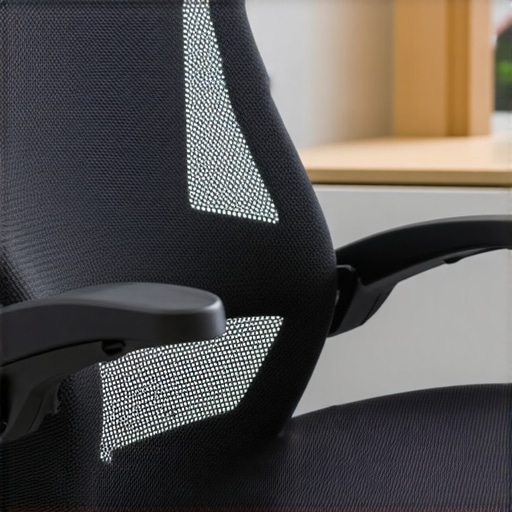
Stop Chasing Support and Make It Find Your Spine
Lumbar support shouldn’t just be a ‘bump’ in the backrest. It needs to be height-adjustable and, ideally, tension-adjustable. Think of your lower back like a bridge; without the right tension in the cables, the whole structure sags. Most people buy a chair and never touch the knobs again. That’s a mistake. You should be micro-adjusting your tension every few hours to account for muscle fatigue. This same logic applies when you vet a meeting room for acoustic privacy or comfort—if the furniture is static, your brain will be too. High-performance mesh is the only way to go for the twelve-hour grind because it distributes weight evenly across your frame rather than creating ‘hot spots’ of pressure on your tailbone.
Why Your Meeting Rooms Need More Than Just Expensive Tables
We often splurge on the desk chair but ignore where the real collaboration happens. If you’re trying to pick an office that fits your startup’s growth pace, look at the ‘war room’ seating. Your meeting room needs to be more than just a table; it needs task seating that supports active leaning. When I’m in a high-stakes board meeting, I’m rarely leaning back; I’m leaning forward, engaged. A chair that doesn’t tilt forward with you is a chair that’s pushing against your momentum. In our first real office, we had these beautiful mid-century modern chairs in the conference room. They looked great on Instagram, but after 45 minutes of brainstorming, everyone was slouching so hard they looked like they were melting. We swapped them for high-end task chairs, and suddenly, the 2-hour strategy sessions stopped feeling like endurance tests. Don’t let your furniture dictate your team’s energy levels.Most founders believe that the more screens and gadgets they shove into a conference room, the more ‘innovative’ their team will become. I’m here to tell you that’s a lie. Technology is often the primary source of friction in modern meetings. I’ve seen 20-minute stand-ups devolve into hour-long IT troubleshooting sessions because the ‘smart’ whiteboard didn’t recognize a specific laptop. If you want to move fast, you need to focus on better technology and fewer cables. In my experience, a simple, high-quality HDMI connection and a reliable camera beat a complex wireless mesh every single time. We buy into the marketing hype of ‘all-in-one’ collaboration bars and wireless casting, but in the reality of a scaling startup, simplicity is the only thing that scales. When you’re dealing with diverse hardware—Macs, PCs, and the occasional Linux dev machine—proprietary wireless solutions fail. Stick to the basics that just work.
The Glass Wall Trap Nobody Tells You About
There’s a massive misconception that ‘open and airy’ glass-walled meeting rooms are the gold standard for startup culture. They look great in marketing photos, but in practice, they are an acoustic nightmare. If you don’t pass the acoustics test, your sensitive investor talks or HR strategy sessions are essentially public broadcasts for the rest of the floor. I once sat in what was supposed to be a ‘confidential’ meeting where we could clearly hear the neighbor’s lunch order through the glass. It’s why you have to vet a meeting room for acoustic privacy before you sign any membership papers. Look for double-glazing or integrated acoustic panels that absorb sound rather than bouncing it back into your ears. Think of acoustic privacy as a security feature, not a comfort feature. If you can hear the startup next door pitching their venture capital lead, assume the reverse is also true. 
Can Your Conference Room Pass the Endurance Test?
If your two-hour strategy sessions always feel like a mental drain, it usually isn’t your team’s lack of focus—it’s the environment. A study by the Center for the Built Environment at UC Berkeley found that poor indoor environmental quality, specifically noise distractions and air quality, drastically reduces cognitive performance. When carbon dioxide levels rise in a poorly ventilated, sealed meeting room, your decision-making abilities tank. This is the difference between a standard meeting room and a real war room. A true war room is designed for oxygen flow and sustained concentration, not just for looking pretty in a brochure. I see founders make the mistake of choosing a space based on the ‘cool factor’ all the time. But spotting a toxic vibe often starts with realizing the space prioritizes aesthetics over real-world functionality. If you’re trying to maximize productivity in your conference rooms, you need to examine the ergonomics of the seating and the orientation of the screens. Bad lighting ruins video calls by creating glare and eye strain, which drains your team’s energy faster than a marathon sprint. Have you ever fallen into this trap? Let me know in the comments.The drift toward clutter is the silent killer of startup momentum. When we moved into our first professional space, I thought having a ‘smart’ room meant we’d never have to think about tech again. I was wrong. To maximize productivity in your startups’ conference rooms, you need tools that are resilient rather than just flashy. I personally use the Jabra Speak 750 because it’s the only puck-style mic that doesn’t make everyone sound like they are underwater in a cavern during a hybrid session. I’ve tried the $10 knockoffs; they fail the moment you have three people talking at once. We also stick to physical whiteboards with Rocketbook Beacons because the reason why physical collaboration still beats video calls is often about the tactile speed of a marker. You can’t ‘reboot’ a piece of felt-tip ink when you’re in a flow state. 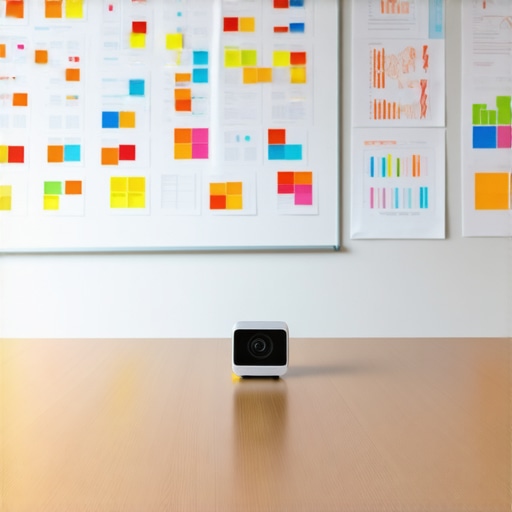
How Do You Keep Your Tech From Dying Mid-Pitch?
The secret to longevity isn’t the initial purchase price; it is a proactive maintenance loop. We’ve all been in a situation where the main display won’t sync, and the air in the room starts to feel very thin as the silence stretches on. I’ve learned the hard way that a basic warranty won’t save your startup from a hardware disaster in the middle of a Friday afternoon demo. Every Friday, our ops lead performs a ‘hardware heartbeat’ check. This includes a firmware update check for the cameras and a literal ‘sniff test’ for any overheating power bricks hidden under the table. According to Shure’s technical documentation regarding the ‘Laws of Physics’ in sound reinforcement, even the best digital signal processing (DSP) cannot fix the ‘muddy’ sound caused by a poorly maintained room where furniture has been moved away from acoustic panels. If you want high-quality calls, keep the room’s layout consistent and the firmware fresh.
The Future Belongs to Invisible Technology
Looking ahead, I see the future of conference rooms in startup ecosystems being defined by what you do not see. We are moving away from bulky consoles toward ‘ambient’ AI. Imagine a room that recognizes your laptop’s MAC address and automatically loads your specific checklist for vetting a high-stakes board room on the side monitor before you even sit down. As you transition your team from a garage to a real office, start looking for spaces that offer integrated infrastructure rather than just ‘plug-and-play’ gadgets. My advanced tip for anyone scaling right now: create a ‘failsafe box’ for every room containing one thirty-foot HDMI cable, a long Ethernet cord, and two universal power adapters. Tape it to the underside of the table. You will never have to cancel a meeting because of a ‘dead’ wireless bridge again. Conduct this ‘failsafe’ audit this week and see how much anxiety it clears out of your team’s workflow.
Hard-Won Truths from a Decade of Startup Scaling
Looking back at my transition from a cramped basement to a thriving team, the biggest realization was that comfort is a cognitive force multiplier. If you are constantly adjusting your posture or fighting with a glitchy screen, you are leaking energy that should be going into your code or your sales pitch. First, never ignore the ‘vibe’ check. If the space feels clinical or sterile, your team’s creativity will likely reflect that. Second, prioritize physical health over aesthetic trends; a high-end ergonomic chair is significantly cheaper than surgery or six months of physical therapy. Finally, understand that managing noise complaints in a shared workspace is part of the operational job—don’t let small frictions derail your team’s focus.
The Gear and Wisdom That Keep My Business Running
To keep my own workflow sharp and my team engaged, I rely on a few non-negotiables that have survived years of heavy use. I always recommend the Herman Miller Aeron or Steelcase Gesture for anyone spending more than six hours a day at a desk; they are the gold standard for a reason. For collaborative sessions, we swear by the Jabra Speak series to ensure hybrid team members are heard clearly without echo. I also suggest reading ‘Deep Work’ by Cal Newport, which reinforces why you need to understand the logistics of moving your startup to a professional space that actually supports focused effort. Before you sign any long-term papers, make sure you know how to spot a bad coworking community so you don’t get trapped in an environment that drains your soul.
Building a Space Where Your Best Ideas Can Breathe
Your workspace is more than just four walls and a few desks; it is the laboratory where your startup’s future is being written. Whether you are hunting for startup success secrets by choosing the perfect conference room or just trying to survive your first product launch, remember that the environment you build today dictates the culture you will have tomorrow. Don’t be afraid to invest in yourself and your people. The leap from ‘scrappy’ to ‘professional’ is often just a matter of choosing the right physiological and technological support. Your spine, your team, and your bottom line will thank you for making the upgrade. Have you ever had a specific piece of office tech or a high-quality chair completely change the way you feel at the end of a long day? Let me know your experiences in the comments below!