
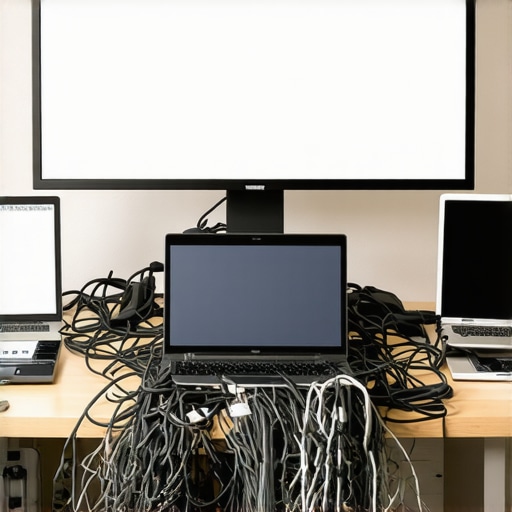
I stood there, sweat prickling my neck, staring at a blank 60-inch monitor while three potential investors checked their phones. I had the perfect deck. I had the passion. What I didn’t have was a way to connect my USB-C laptop to their ancient HDMI splitter. It was humiliating. That’s the reality of ‘Bring Your Own Device’ (BYOD) in most shared spaces. It sounds flexible and modern, but in practice, it’s often a high-stakes gamble where the house usually wins. I’ve spent the last decade in and out of every flavor of startup hub, and I’ve learned the hard way that the tech you carry in your bag is only as good as the room you’re standing in. Today, we’re going to peel back the curtain on why BYOD is secretly sabotaging your professional image and exactly what you need to look for to ensure your next meeting doesn’t end in a frantic search for a dongle. [image_placeholder]
Stop Letting Your Laptop Kill the Vibe in the Boardroom
We’ve been told that BYOD is the ultimate freedom. ‘Just bring your laptop and plug in!’ they say. But after years of bouncing between different coworking hubs, I’ve realized that knowing how to find a conference room that actually has working adapters is a much better strategy than relying on luck. I made the mistake of thinking every space was ‘plug-and-play.’ It’s not. Early in my career, I assumed a premium membership meant premium hardware, only to find a 2012 VGA cable dangling from a wall like a relic. In fact, research from the Ponemon Institute highlights that insecure endpoints—like personal laptops connecting to shared networks—remain one of the most significant security vulnerabilities for modern businesses. It isn’t just about the cables; it’s about the cost of a bad first impression and the silent data risks you’re taking every time you join an unsecured meeting room Wi-Fi.
Is standardizing tech really worth the extra effort?
You might think, ‘Hey, I’ve got my adapters, I’m fine.’ I used to think the same thing until I accidentally broadcasted my private Slack notifications to a room full of clients because I didn’t understand the specific mirroring settings of a shared hub. It’s an easy trap to fall into. We are going to solve this today by looking at why your conference room needs better technology and fewer cables to ensure your pitches stay professional and your data stays yours. Have you ever had a ‘tech meltdown’ in the middle of a big presentation? I’d love to hear your story in the comments so I don’t feel so alone in my ‘dongle hell’ phase.
Take Control of the Hardware Before the Meeting Starts
Most founders treat a conference room like a hotel room; they expect everything to work the moment they walk in. That’s a fantasy. To avoid a tech meltdown, you need to adopt a ‘Zero-Trust’ hardware policy. This isn’t just about cables; it is about the entire environment. I remember a time I was prepping for a Series A bridge round in a trendy East Side hub. I arrived ten minutes early, performed the 10-minute audit to see if your office space is wasting money, and realized the HDMI port was physically loose. Because I was early, I swapped rooms before the lead investor even parked his car. If I’d waited until the meeting started, the deal would have died right there.
Perform a Physical Tech Recon
Don’t just look at the screen; test it. Plug your laptop in, toggle the display settings, and verify that the resolution doesn’t turn your beautiful slides into a blurry mess. You need to understand why your pitch deck looks better on a forty-inch screen than a laptop, but that only holds true if the signal is clean. While you’re at it, clap your hands loudly in the center of the room. Does it echo like a canyon? If so, you’re failing the acoustics test every conference room should pass, which means your remote participants will hear more of the room’s reverb than your actual value proposition.
Verify the Visuals Without the Guesswork
If you are presenting a product, the lighting is your best friend or your worst enemy. I’ve seen million-dollar demos look like amateur hour because of glare from a window. Learning how to host a product demo that looks professional on a budget starts with simple positioning—keep the screen away from direct sunlight. If the room has smart glass or shades, test them. There is nothing more distracting than a founder fumbling with a remote control while trying to explain their MRR growth.
Secure the Digital Handshake
Once the physical connection is solid, you have to worry about the invisible one. Public Wi-Fi in a shared space is a performance killer and a security nightmare. I once saw a peer lose a massive client because their file sync stalled mid-presentation due to bandwidth throttling. You must quantify the hidden drag of slow office wi-fi on your burn rate and ensure your chosen space isn’t cutting corners.
Prioritize Your Connection Stability
Always have a backup plan for internet access. If the building’s guest network is crawling, I switch to a dedicated hotspot immediately. Don’t wait for the ‘buffering’ wheel of death to appear on your screen. You should also be looking at how to maximize productivity in your startups conference rooms by 0245 pm by scheduling your high-bandwidth tasks for times when the hub isn’t hit by the post-lunch rush. It sounds paranoid, but in the world of high-stakes pitching, paranoia is just another word for preparation.
Why the Most Expensive Room is Often a Trap
Everyone assumes that the flashier the room, the better the outcome. We’ve been conditioned to believe that a 4K OLED screen and an integrated iPad control system are the hallmarks of startup success secrets. But here is the contrarian truth: the more ‘smart’ tech a room has, the more single points of failure you’re introducing into your presentation. I’ve seen more deals die because an automated lighting system wouldn’t stop flickering than I have because a screen was 1080p instead of 4K. In my decade of navigating hubs, I’ve found that the difference between a standard meeting room and a real war room is simplicity. A ‘War Room’ focuses on reliability—whiteboards, hardwired connections, and analog backups—over the fragile vanity of a fully automated ‘smart’ suite.
Can You Actually Keep a Secret Behind Glass Walls?
One of the biggest ‘oops’ factors I see with founders is the ‘Fishbowl Effect.’ We love the aesthetic of glass-walled conference rooms because they feel modern and transparent. However, they are a nightmare for sensitive negotiations. I once sat in a session where a rival founder literally read the financial projections off our slides from the hallway. Beyond the visual leak, there is the acoustic disaster. A study published in the Journal of Environmental Psychology found that ‘sound privacy’ is the single most important factor for workplace satisfaction, yet it is the most frequently ignored. If you aren’t careful, the entire lounge will hear your burn rate before you even finish your intro. You need to know how to vet a meeting room for acoustic privacy by checking for gaps under the door and the thickness of the partitions before you open your laptop.
Stop Obsessing Over Pixels and Start Fixing the Furniture
We spend thousands on our decks, but we sit our investors in chairs that were designed for a 1990s dentist’s office. If your lead investor is shifting uncomfortably after twenty minutes, they aren’t thinking about your ROI; they’re thinking about their lower back. Physical discomfort creates a psychological barrier to agreement. This is why I always prioritize spaces that understand the human element of a long-haul session. It’s about more than just aesthetics; you have to keep your startup’s trade secrets safe by ensuring the physical layout doesn’t invite prying eyes or distracted ears. I’ve learned to value a room with ergonomic task chairs and a solid oak table over a ‘vibrant’ space with beanbags and poor Wi-Fi every single time. Have you ever fallen into the trap of picking style over substance and had it backfire? I’d love to hear your ‘design vs. function’ horror stories in the comments.
Stop Betting Your Reputation on Hub-Provided Dongles
I’ve stopped relying on the kindness of coworking community managers or the hope that the person before me didn’t snap the pins off the HDMI port. If you want to scale, you need a personal hardware stack that functions as a portable command center. I personally never enter a session without my own Thunderbolt 4 dock. Why? Because the moment you stop worrying about if it connects, you start focusing on what you are saying. Relying on shared equipment is a gamble that eventually leads to a loss, and as you move toward the role of flex space in a modern business scaling strategy, having a standardized ‘Go-Bag’ for your team ensures that a pitch in Berlin feels exactly like a pitch in Brooklyn.
Build the Ultimate Portable War Room
My bag contains a shielded Cat6 ethernet cable, a high-gain Wi-Fi adapter, and a dedicated presentation remote with a physical laser. Most digital ‘pointers’ lag on large screens, but a physical laser never fails. This is the difference between an amateur and someone who understands the difference between a standard meeting room and a real war room. I also carry a small, portable LED panel. If you are stuck in a poorly lit corner, five minutes of setup can transform you from a shadowed figure into a professional authority. It’s about being prepared for the worst-case scenario so you can deliver your best-case performance.
Beyond the cables, I swear by a dedicated ‘burner’ laptop for high-stakes demos—something wiped clean of personal notifications and Slack pings. This isn’t just about privacy; it’s about system resources. According to the AVIXA (Audiovisual and Integrated Experience Association) DISCAS standards, the clarity of your visual information is directly tied to viewer engagement and decision-making speed. If your laptop is stuttering because you have fifty Chrome tabs open in the background, you are literally slowing down your investor’s ability to say ‘yes.’
How do I keep our meeting tech running smoothly over the long haul?
Maintenance isn’t a one-time event; it’s a culture. As you grow, you should check for why our private office suites stock extra Surface Pro chargers for members to see how the pros handle redundancy. We perform a ‘Friday Reset’ where every adapter is checked for fraying and every firmware is updated. This prevents the dreaded ‘system update’ screen from appearing sixty seconds before a board meeting. I predict that in the next three years, we will see the rise of ‘Ambient Intelligence’ in meeting rooms—spaces that automatically detect your device and optimize lighting and sound based on your specific biometric stress levels. Until then, the burden of reliability is on us.
If you really want to level up, stop using the built-in microphone on your laptop. Even a $50 USB lavalier mic provides the acoustics hack for crystal-clear client pitches that makes you sound like a Fortune 500 CEO rather than a founder in a basement. My challenge to you: Audit your laptop bag tonight. If you find a single adapter that ‘sometimes wiggles loose,’ throw it away and buy a high-quality, shielded replacement. Your next million-dollar deal is worth more than a twenty-dollar cable.
The Costly Lessons I Learned the Hard Way
Reflecting on my decade in the trenches, I’ve realized that the most expensive room isn’t always the best. I once spent a fortune on a high-end suite only to find the Wi-Fi couldn’t handle a simple screen share because of the building’s thick concrete walls. Always consult the checklist for a boardroom that doesn’t feel like a hospital before you commit your budget to a space. Another lightbulb moment was realizing that ‘universal’ hardware is often a myth; I now carry three different types of adapters because local hubs update their firmware at different speeds. Finally, never underestimate how much innovative meeting rooms that boost startup creativity rely on simple, analog backups like high-quality whiteboards when the digital systems inevitably lag.
Gear and Guides for the Modern Professional
If you are looking to build your own portable command center, I recommend investing in a shielded Thunderbolt dock rather than cheap plastic dongles. For founders who are currently the role of flex space in a modern business scaling strategy is a vital framework for understanding how to scale your technical requirements as your team grows. I also personally trust the technical white papers from AVIXA for understanding display standards, and I keep a copy of ‘The Art of Gathering’ by Priya Parker in my bag to ensure my meeting’s purpose aligns with the room’s layout. To stay ahead of the curve, I regularly check updates on the future of conference rooms in startup ecosystems to see which AI-integrated tools are actually worth the subscription cost.
#IMAGE_PLACEHOLDER_E#
Step Into Your Next Chapter with Confidence
The transition from a solo founder to a respected leader happens in the small details of these rooms. Every time you solve a hardware hurdle before the client even notices, you are building a reputation for reliability that no pitch deck can buy. Don’t let a faulty connection be the reason you miss out on unlocking networking opportunities in top coworking environments. You have done the hard work of building a product; now, make sure you have the physical and digital infrastructure to show it off without the ‘tech-meltdown’ stress. It is time to treat your meeting environment with the same rigor as your code. What is the one piece of hardware you never enter a conference room without? Share your must-have toolkit items in the comments below!