
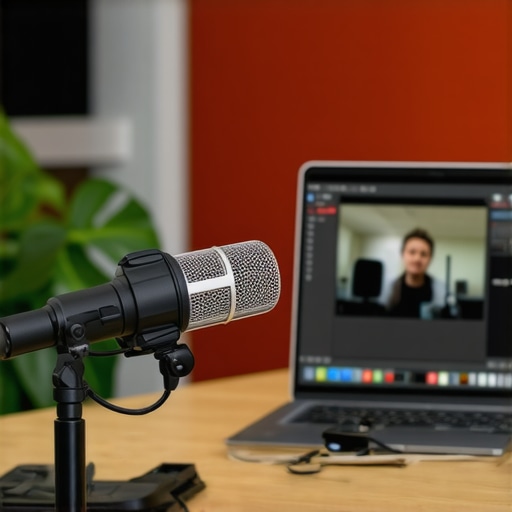
I was three minutes into my biggest pitch of the year when the leaf blower started. You know that sound—the low, vibrating hum that feels like it is vibrating inside your skull? It was coming from my neighbor’s yard, but on my webinar, it sounded like a Category 5 hurricane. I watched the attendee count drop from forty-five to twelve in real-time. It was painful. I had spent weeks on that deck, only for a two-stroke engine to ruin it. That is when I realized that ‘winging it’ from home or a local cafe just does not cut it when money is on the line. I learned the hard way that why we stopped using coffee shops for sensitive client calls is not just about privacy; it is about basic survival. Today, I am going to show you how to lock down your environment so your next presentation is as smooth as glass.
Don’t Let a Leaf Blower Kill Your Pitch
Personal struggle is a great teacher, but it is an expensive one. After that disastrous afternoon, I took a hard look at my setup. I used to think my dining table was fine, but the real cost of working from your dining table is higher than just a sore back—it is your professional reputation. If your audience can not hear you, they will not buy from you. It is not just my bad luck, either. According to data from Zippia, about 67% of workers say that background noise is a significant distraction during virtual meetings. That is a massive chunk of your audience that might tune out because of a dog barking or a siren. We are going to fix that by looking at acoustics and connectivity with a critical eye. Have you ever been halfway through a point only to see the ‘Connection Unstable’ banner of doom? Tell me about your worst technical glitch in the comments below.
Is your home office actually hurting your brand?
The skepticism is real. You might think a good pair of noise-canceling headphones is enough, but they only help you hear, not your audience. I made the mistake of trusting ‘pro’ software to filter out a crying baby, and let me tell you, the software lost that battle. To truly win, you need to find a space that has already passed the acoustics test every conference room should pass. It is about physical barriers, not just digital ones. You also need to know how to test the wi-fi speed before you book that venue because a ‘good enough’ signal for email is a death sentence for a live stream. We are moving past the amateur hour and into the realm of professional-grade stability. Let’s dive into the gear and the environment shifts that will make your next webinar bulletproof.
Control the Variables Before They Control You
Professionalism isn’t an accident; it is the result of removing every possible point of failure. When I finally moved my high-stakes calls out of my house, I realized that my home office was essentially a minefield of distractions waiting to explode. To avoid the ‘leaf blower’ scenario, you have to treat your environment like a cockpit. Every switch and dial needs to be set before you ever hit ‘Start Meeting.’ This starts with how to choose the perfect conference room for business success. You aren’t just looking for four walls and a door; you are looking for a space that isolates you from the chaos of the outside world. Think of it like this: your content is the message, but the room is the medium. If the medium is cracked, the message will leak out long before it reaches the investor.
Hunt for the Hard-Wired Advantage
Wireless internet is a convenience, not a professional tool. I once learned this the hard way during a product demo for a Silicon Valley firm. I was relying on the ‘premium’ Wi-Fi of a trendy shared space, and exactly four minutes in, the video froze while I was mid-sentence. The silence that followed was deafening. Now, I never book a space without verifying how to vet a space for high speed fiber before you sign the contract. You need a physical Ethernet port. Plugging in directly removes the jitter and latency that kills the ‘live’ feel of a presentation. If the venue doesn’t have a port, it is just a fancy living room, not a workspace. This is the foundation of the checklist for a glitch-free product launch event. Reliability is a feature you have to pay for, and it is always worth the cost.
Stop Squinting at Your Own Slides
When you are pitching from a laptop, you are physically hunched over, which restricts your breathing and makes you look small on camera. I started using dedicated rooms because why your pitch deck looks better on a forty-inch screen than a laptop is about more than just visibility—it’s about posture. Standing up and having your slides on a large peripheral monitor allows you to maintain eye contact with the lens while still tracking your data. It gives you the presence of a CEO rather than a student. 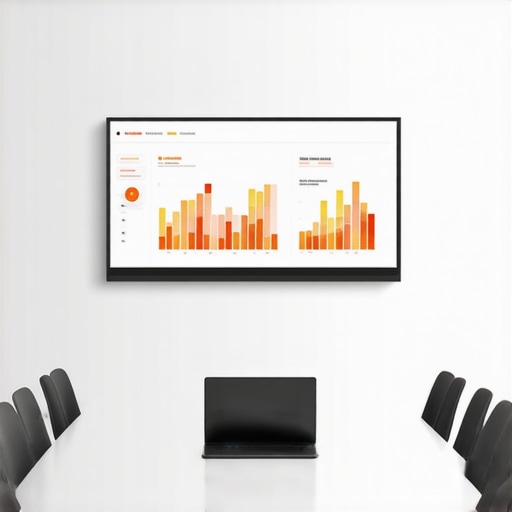
Create the Perfect Lighting Without a Studio
Shadows are the enemy of trust. If you look like you are calling from a basement, people will subconsciously treat your ideas like they belong in one. Most people think they need a $500 ring light, but the exact lighting setup for professional video pitches actually relies on diffused, front-facing light. I used to scramble with desk lamps until I realized that professional meeting rooms often have recessed, high-CRI lighting that mimics natural day-glow. For those quick, high-intensity moments where you can’t book a full suite, why your sales calls need a private phone booth becomes obvious—the lighting is contained, the acoustics are deadened, and you are the only variable in the equation. Stop fighting your environment and start choosing one that works for you.Let’s dig deeper into the psychology of the workspace because most founders get the ‘amenities’ part completely backward. I used to be one of them. I’d walk into a space, see a cold-brew tap and a rooftop deck, and think, ‘This is where we win.’ But I was wrong. The reality is that the flashiest features are often a distraction from the fundamental technical failures that actually stall growth. I call this the ‘Free Beer Fallacy.’ When you are evaluating a space, the true cost of free coffee in popular coworking hubs isn’t the price—it’s the trade-off in focus and professional infrastructure. You don’t need a lounge; you need startup success secrets choosing the perfect conference room that actually works when the pressure is on.
Does that trendy glass-walled room actually kill your team’s focus?
Common wisdom says that open, glass-walled conference rooms promote transparency and ‘cool’ office vibes. However, research suggests the exact opposite. A study published in the Philosophical Transactions of the Royal Society B by researchers Ethan Bernstein and Stephen Turban found that when companies moved to open-plan offices, face-to-face interactions actually dropped by about 70%. People felt like they were in a fishbowl and retreated into their headphones. This is exactly why your meeting room layout is killing participation—if people feel watched, they won’t take risks or brainstorm freely. You need spaces that provide psychological safety, not just physical visibility. If your team is huddling in the back of the building to get real work done, you’ve fallen into the ‘aesthetic’ trap.
Stop paying for square footage you never touch
Another mistake is the obsession with ‘growth space.’ Founders often sign long leases for room they think they will need in eighteen months, but the logic of choosing a flex office over a 5-year lease is that it preserves your most precious asset: cash flow. I’ve seen teams blow their seed round on a ‘cool’ HQ while why we stopped paying for square footage we never used became their expensive post-mortem lesson. Real expertise in workspace management means knowing how to pick a membership tier that scales with your team based on actual usage, not aspirations. Have you ever fallen into this trap of paying for a ‘vibe’ that didn’t deliver? Let me know in the comments.  To avoid this, you need to look for a physical anchor that supports why physical collaboration still beats video calls for startups without the dead weight of an empty office. The goal is a space that facilitates ‘deep flow’ for developers and high-stakes clarity for the sales team, which usually means prioritizing the truth about shared office noise levels over how many bean bags are in the lobby. Don’t be fooled by the decor—the real value is in the infrastructure you cannot see.
Kill the digital friction before it kills your flow
I used to spend the first five minutes of every call asking, ‘Can you hear me now?’ like a 2004 cell phone commercial. It was embarrassing. After losing a potential seed investor because I couldn’t unmute my mic fast enough to answer a tough question, I stopped relying on software buttons. Now, I use an Elgato Stream Deck. It’s a small hardware console that lets me map physical buttons to functions like ‘Mute Mic,’ ‘Start Video,’ or ‘Switch to Slide 4.’ Having a physical kill-switch for my audio gives me a level of confidence that no Zoom interface ever could. This is a core part of why your conference room needs better technology and fewer cables; the more you can move off the screen and onto your desk, the more present you appear to your audience. When I’m in a high-stakes environment, I want to be looking at the lens, not hunting for a cursor.
The specific gear I use to stay professional
Beyond the buttons, my ‘go-bag’ for any flex space includes a Cat6 Ethernet cable and a Thunderbolt dock. Even the best Wi-Fi can suffer from ‘jitter’—those tiny micro-stutters that make your voice sound like a robot. According to technical documentation from Cisco’s Networking Academy, maintaining an end-to-end latency of under 150ms is critical for high-quality video conferencing. If you hit 200ms, the conversation loses its natural rhythm. This is why I always check how to test the wi-fi speed before you book that venue. I also swear by a dedicated USB microphone with a cardioid pickup pattern. Unlike your laptop mic, which tries to hear everything in the room, a cardioid mic only hears what is directly in front of it—namely, you. It’s a simple upgrade that transforms a hollow, echoing room into a professional studio. If you are preparing for a big day, following the checklist for a glitch-free product launch event will save you from the hardware headaches that plague most founders. 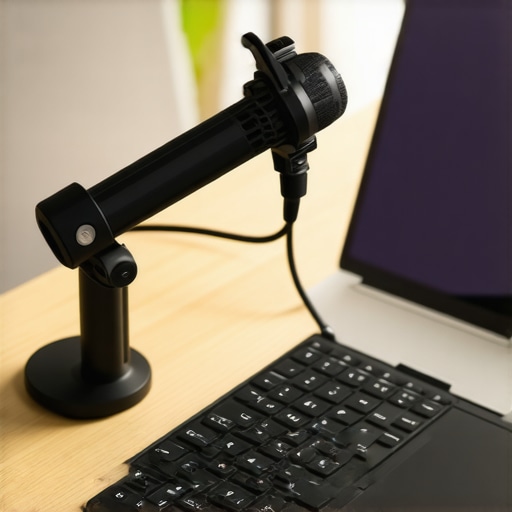
How do I keep my performance peak over the long haul?
Maintenance is not just about the gear; it is about the routine. Every Monday at 8:00 AM, I run a ‘Pre-Flight Check.’ I update my drivers, check my cable connections for fraying, and reset my router. If I am working from a shared space, I use that time to ensure I know how to maximize productivity in your startups conference rooms by testing the local AV integration before the team arrives. Looking forward, I predict we will see AI-driven spatial acoustics integrated directly into these rooms, where the walls themselves adjust to dampen noise based on the number of people inside. This is part of the future of conference rooms in startup ecosystems—spaces that think for you so you can focus on the deal. My advanced tip for you: create a ‘Panic Button’ routine. Know exactly what you will do if your main laptop freezes (for me, it’s a tablet already logged into the meeting as a co-host). Try setting up a secondary device as a silent backup on your next high-stakes call; that peace of mind is worth more than any fancy office chair.
The Invisible Mistakes I Fixed After Fifty Pitches
Reflecting on my journey from the dining room table to professional suites, I realized that technical proficiency is only half the battle. One of the biggest shifts was recognizing the difference between a standard meeting room and a real war room. In a standard room, you are often fighting the acoustics; in a true war room, the environment is designed to amplify your voice and sharpen your focus. I also learned that community vibes are great for networking, but you must know how to spot a bad coworking community before joining if your primary goal is high-stakes execution. Sometimes a space that looks like a playground is just a distraction in disguise. Lastly, never underestimate the power of a physical anchor. Using a consistent, professional space allowed me to build a muscle memory for success that my home office could never replicate.
The Gear That Rescued My Professional Image
I no longer leave my presentation quality to chance. My success kit always starts with the exact checklist for vetting a high-stakes board room, which ensures I never walk into a technical dead zone. For hardware, I highly recommend a dedicated USB condenser microphone with a cardioid pattern to avoid that hollow, echoing sound common in glass-walled offices. I also prioritize spaces that understand why your conference room needs better technology and fewer cables because clutter on the desk inevitably leads to clutter in the mind during a pitch. If you are a night owl or working across international time zones, knowing how to get the most out of a 24-7 access membership can be a total game-changer for those late-night investor calls when the rest of your neighborhood is asleep.
Building Your Own Arena for Success
At the end of the day, your environment is a silent partner in every deal you close. You wouldn’t show up to an in-person meeting in your pajamas, so don’t let your digital environment look like it is still in the garage phase. Transitioning to a dedicated workspace is more than just a logistical move; it is a psychological commitment to your own growth. By utilizing startup success secrets choosing the perfect conference room, you are signaling to your team, your investors, and yourself that you are ready for the next level. Stop letting leaf blowers and spotty Wi-Fi dictate your future. What is the one environmental factor that always trips you up during a big call? Let me know in the comments below!